> ## Documentation Index
> Fetch the complete documentation index at: https://docs.opensourcemalware.com/llms.txt
> Use this file to discover all available pages before exploring further.
# Search and explore threats
> Using the web UI to search for threats and research emerging threats.
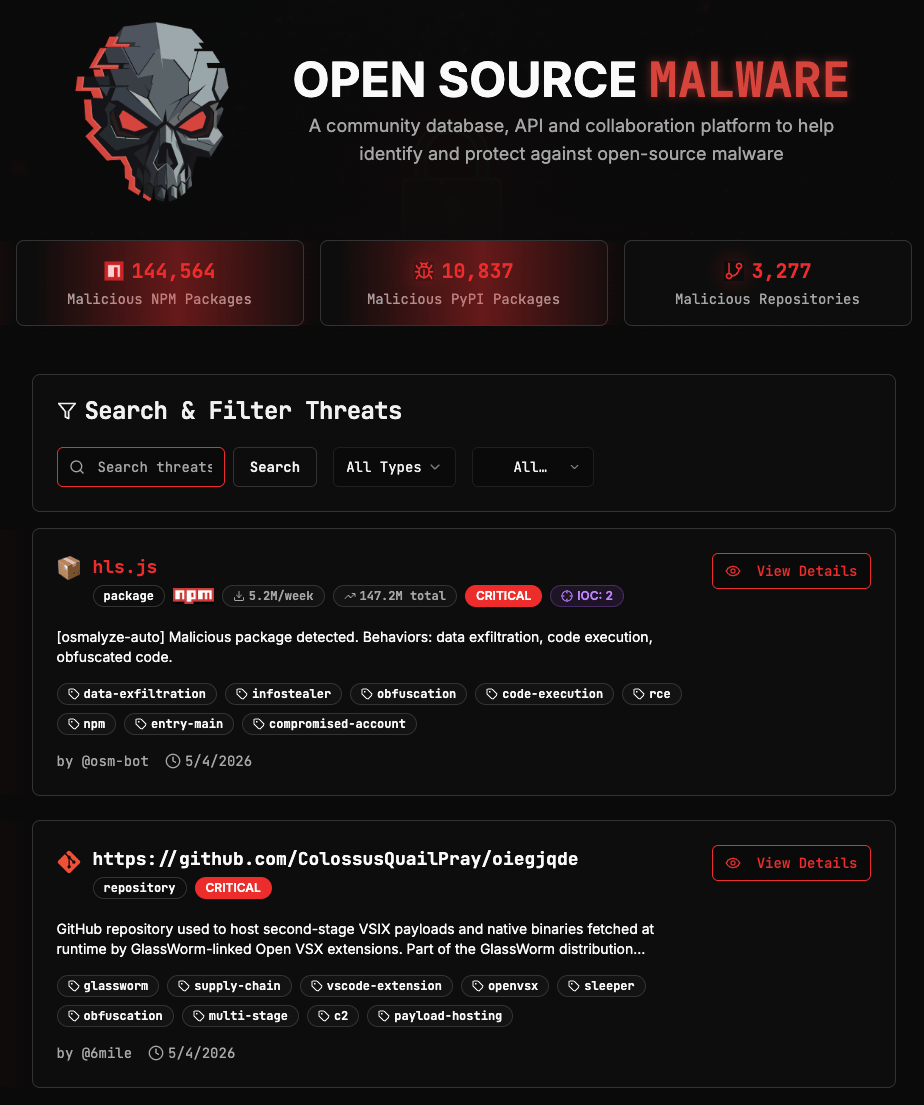
The [OpenSourceMalware homepage](https://opensourcemalware.com) at displays the live threat feed, with the most recently submitted threats at the top. You can search and filter this feed to find specific threats or narrow the results to what's relevant to your environment.
 ## Filters
Four filters are available, and they can be combined.
**Type** narrows results to a specific asset category. Options are: Packages, Repositories, URLs, Domains, IP Addresses, Crypto Wallets, and Container Images.
**Ecosystem** appears when Packages is selected as the type. Options are: npm, PyPI, Maven, NuGet, RubyGems, Packagist, Crates.io, Go Modules, Open VSX, VS Code Marketplace, and AI Skills.
**Status** filters by verification state. Options are: Verified, Pending, False Positive, and Resolved.
**Sort** controls the order of results. Options are: Newest, Oldest, Most Downloaded, and Most IOCs. Most Downloaded is a useful signal for assessing the potential blast radius of a threat as higher download counts indicate a more widely-used asset.
## Search
The search field accepts an asset name or a tag.
* **Name search:** The name must be exact to return results. If you are unsure of the full name, use `*` as a wildcard. For example, `eslint*` will match any asset name beginning with "eslint".
* **Tag search:** Prefix your search term with `#` to search by tag. For example, `#contagious-interview` returns all threats tagged with that campaign.
Search and filters work together. You can run a keyword search while filters are active to narrow results further.
## Threat Records
Each threat has its own webpage that can be accessed by clicking **View Details** from the search results on the homepage, or by navigating directly to its URL (for example, [https://opensourcemalware.com/pypi/lightning](https://opensourcemalware.com/pypi/lightning)).
The record's UUID appears at the top and can be used to query the threat directly via the API. Also included at the top of the record are the asset name, type, weekly and total download counts (for packages), stars/forks (for repos), severity, and verification status. It also tells you who reported it and when it was added to the database.
## Filters
Four filters are available, and they can be combined.
**Type** narrows results to a specific asset category. Options are: Packages, Repositories, URLs, Domains, IP Addresses, Crypto Wallets, and Container Images.
**Ecosystem** appears when Packages is selected as the type. Options are: npm, PyPI, Maven, NuGet, RubyGems, Packagist, Crates.io, Go Modules, Open VSX, VS Code Marketplace, and AI Skills.
**Status** filters by verification state. Options are: Verified, Pending, False Positive, and Resolved.
**Sort** controls the order of results. Options are: Newest, Oldest, Most Downloaded, and Most IOCs. Most Downloaded is a useful signal for assessing the potential blast radius of a threat as higher download counts indicate a more widely-used asset.
## Search
The search field accepts an asset name or a tag.
* **Name search:** The name must be exact to return results. If you are unsure of the full name, use `*` as a wildcard. For example, `eslint*` will match any asset name beginning with "eslint".
* **Tag search:** Prefix your search term with `#` to search by tag. For example, `#contagious-interview` returns all threats tagged with that campaign.
Search and filters work together. You can run a keyword search while filters are active to narrow results further.
## Threat Records
Each threat has its own webpage that can be accessed by clicking **View Details** from the search results on the homepage, or by navigating directly to its URL (for example, [https://opensourcemalware.com/pypi/lightning](https://opensourcemalware.com/pypi/lightning)).
The record's UUID appears at the top and can be used to query the threat directly via the API. Also included at the top of the record are the asset name, type, weekly and total download counts (for packages), stars/forks (for repos), severity, and verification status. It also tells you who reported it and when it was added to the database.
 ### Threat description
A plain-language summary of what the threat does and why it was flagged.
### Threat description
A plain-language summary of what the threat does and why it was flagged.
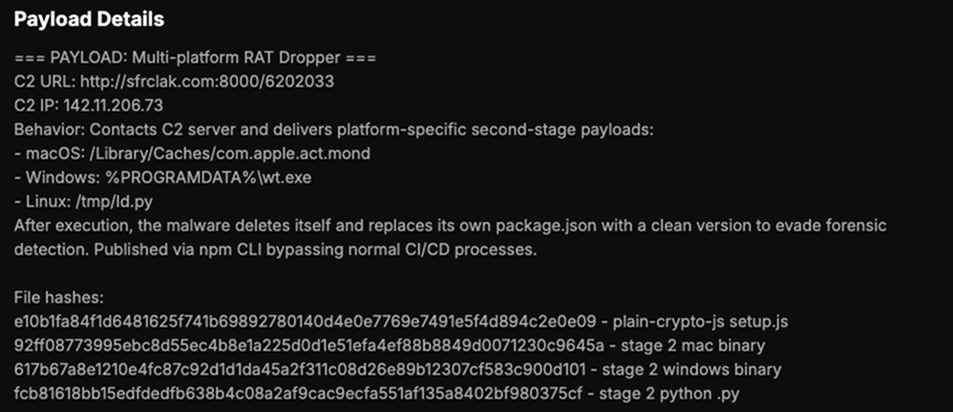
 ### Payload details
A technical breakdown of the malicious behavior from the reporter. May include file names, execution chains, capabilities, and IOCs. **You must be signed in to view payload details.**
### Payload details
A technical breakdown of the malicious behavior from the reporter. May include file names, execution chains, capabilities, and IOCs. **You must be signed in to view payload details.**
 ### Package details and timeline
The affected version or version range, the date the threat was reported, and the date it was verified.
### Package details and timeline
The affected version or version range, the date the threat was reported, and the date it was verified.
 ### Threat actor information
Subscription Required: This feature available to Researcher Pro and Enterprise users.
The registry username associated with the malicious resource and a count of other malicious packages attributed to the same user. To query this programmatically, use the [query-by-username](/api/query-username) endpoint.
### Threat actor information
Subscription Required: This feature available to Researcher Pro and Enterprise users.
The registry username associated with the malicious resource and a count of other malicious packages attributed to the same user. To query this programmatically, use the [query-by-username](/api/query-username) endpoint.
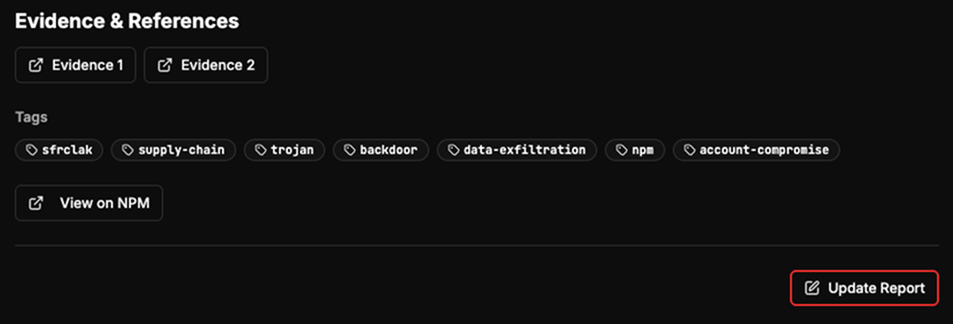
 ### Evidence and references
Link to external resources about the malware, and tags related to the type of attack, threat actor, ecosystem, and/or campaign.
### Evidence and references
Link to external resources about the malware, and tags related to the type of attack, threat actor, ecosystem, and/or campaign.
 ### Threat graph visualization
Subscription Required: This feature is available to Researcher Pro and Enterprise users.
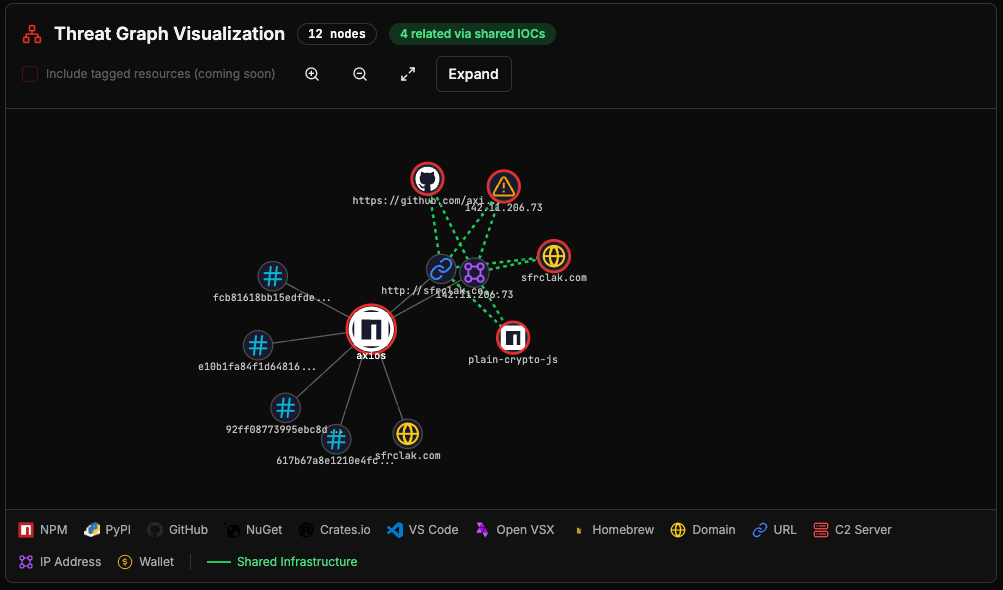
An interactive graph showing relationships between the threat and other resources in the database that share IOCs. The graph displays connected nodes across ecosystems and IOC types, and shows how many other threats are linked via shared infrastructure.
### Threat graph visualization
Subscription Required: This feature is available to Researcher Pro and Enterprise users.
An interactive graph showing relationships between the threat and other resources in the database that share IOCs. The graph displays connected nodes across ecosystems and IOC types, and shows how many other threats are linked via shared infrastructure.
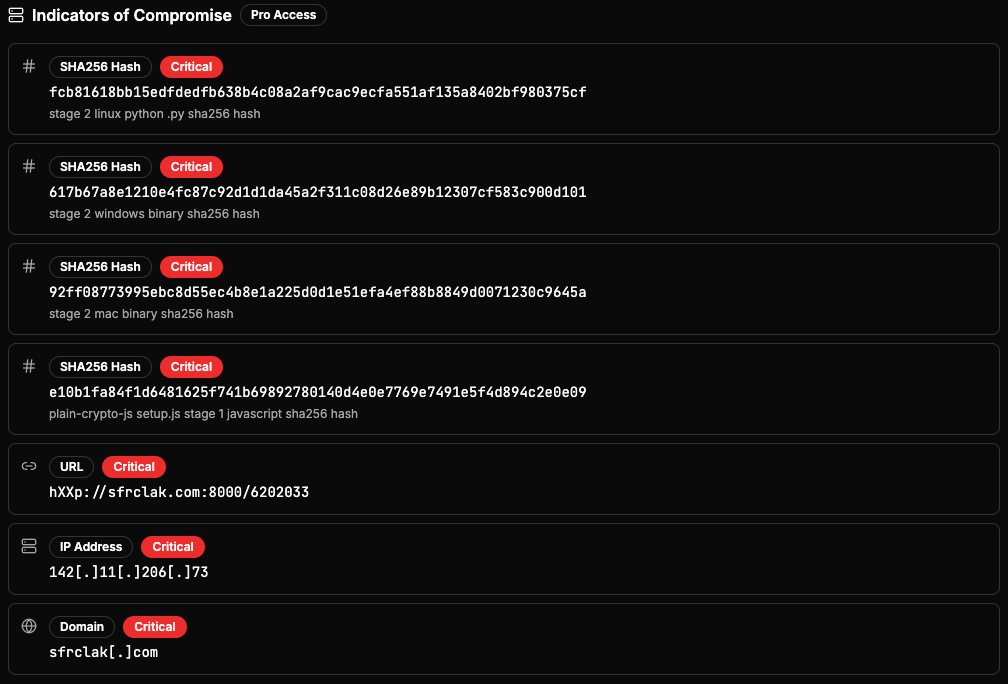
 ### Indicators of Compromise
Subscription Required: This feature is available to Researcher Pro and Enterprise users.
A structured list of IOCs extracted from the threat, including URLs, file hashes, IP addresses, domains, and other indicators. Each IOC shows its type, value, severity, and how it was sourced (for example, auto-extracted from payload description).
### Indicators of Compromise
Subscription Required: This feature is available to Researcher Pro and Enterprise users.
A structured list of IOCs extracted from the threat, including URLs, file hashes, IP addresses, domains, and other indicators. Each IOC shows its type, value, severity, and how it was sourced (for example, auto-extracted from payload description).