> ## Documentation Index
> Fetch the complete documentation index at: https://docs.opensourcemalware.com/llms.txt
> Use this file to discover all available pages before exploring further.
# Your OpenSourceMalware account
> How to create an account, manage your profile, and generate API tokens.
Your OpenSourceMalware account is your identity on the platform. It tracks your API usage, your threat report contributions, your community reputation, and your subscription tier. This page covers how to create an account, what your profile contains, and how to manage API tokens.
## Creating an account
Go to [opensourcemalware.com/auth](https://opensourcemalware.com/auth) to sign up. Two options are available:
**GitHub** is the default sign-in method. Click **Sign in with GitHub** and authorize the OpenSourceMalware application.
**Email** accounts are available on request. [Contact us](https://opensourcemalware.com/contact) to open an email-based account.
Part of account creation includes accepting the [Terms of Use](https://opensourcemalware.com/terms-of-use). Please review them so you understand approved and prohibited usage before submitting any reports or making API calls.
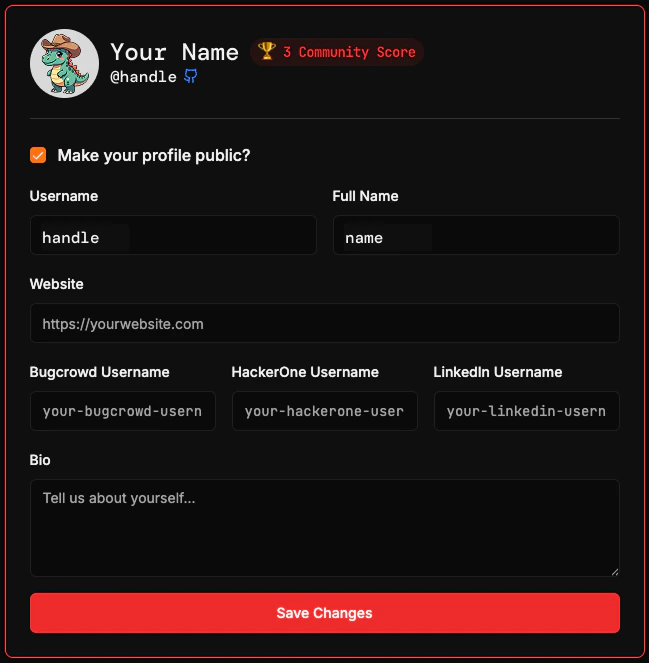
Once your account has been created, you'll have a profile page where you can manage:
* **Required:** Your username and Full Name
* **Optional:** Making your profile private or public, your website, usernames on other platforms, and a bio
A public profile is required to appear on the [Security Researcher Leaderboard](https://opensourcemalware.com/leaderboard). You are not required to use your real identity.
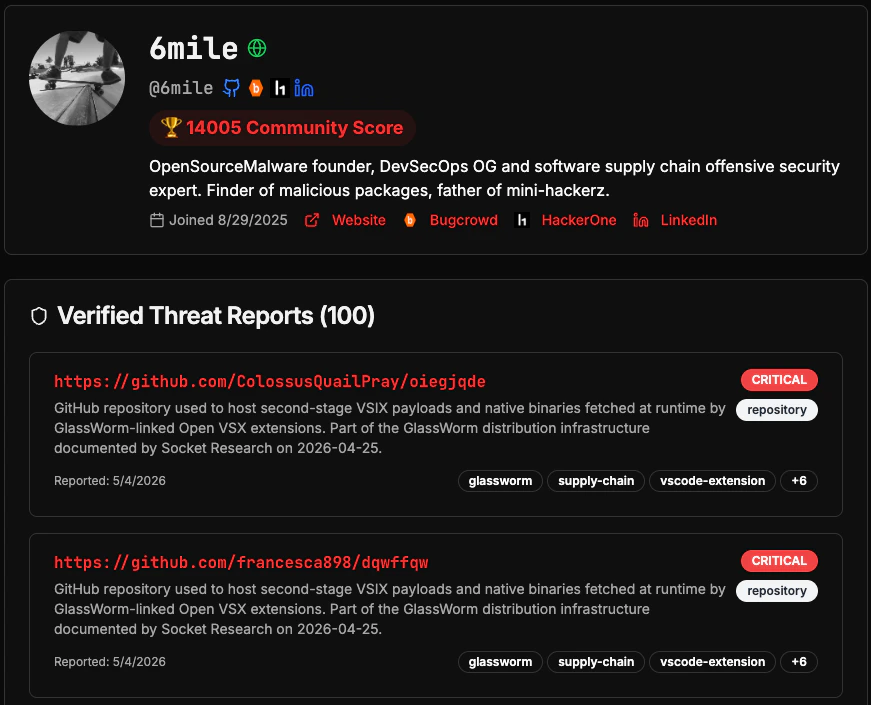
 If you decide to make your profile public, it can be accessed through a URL like this: [https://opensourcemalware.com/user/6mile](https://opensourcemalware.com/user/6mile)
This is where the community can see your contributions and potentially get in touch with you. It's a great way to build your reputation as a researcher!
If you decide to make your profile public, it can be accessed through a URL like this: [https://opensourcemalware.com/user/6mile](https://opensourcemalware.com/user/6mile)
This is where the community can see your contributions and potentially get in touch with you. It's a great way to build your reputation as a researcher!
 ## Your account
Your account tracks everything associated with OpenSourceMalware:
* **Contribution history:** Every threat report you submit, including its verification status and whether it was modified or marked as a false positive.
* **Reputation score and points:** Earned through verified contributions. Higher-quality reports earn more points. See [how points work](/community/points-reputation) for details.
* **API usage:** Token activity and request volume associated with your account.
## API tokens
API tokens authenticate your requests to the OpenSourceMalware API. All tokens use the `osm_` prefix.
Click your avatar in the top-right corner of any page and select **Settings**.
Navigate to the **API Tokens** section and click **Create Token**. Copy the token immediately as it is only shown once.
Pass the token in the `Authorization` header of every API request:
```bash theme={null}
Authorization: Bearer osm_your_token
```
See the [authentication guide](/api/authentication) for full usage details including code examples in Python and Node.js.
Keep your token secret. Do not commit it to source control or include it in client-side code. If your token is compromised, revoke it immediately from your profile settings and generate a new one.
## Next steps
Make your first API threat check in under 5 minutes.
Understand the standards that keep OpenSourceMalware accurate and trustworthy.
## Your account
Your account tracks everything associated with OpenSourceMalware:
* **Contribution history:** Every threat report you submit, including its verification status and whether it was modified or marked as a false positive.
* **Reputation score and points:** Earned through verified contributions. Higher-quality reports earn more points. See [how points work](/community/points-reputation) for details.
* **API usage:** Token activity and request volume associated with your account.
## API tokens
API tokens authenticate your requests to the OpenSourceMalware API. All tokens use the `osm_` prefix.
Click your avatar in the top-right corner of any page and select **Settings**.
Navigate to the **API Tokens** section and click **Create Token**. Copy the token immediately as it is only shown once.
Pass the token in the `Authorization` header of every API request:
```bash theme={null}
Authorization: Bearer osm_your_token
```
See the [authentication guide](/api/authentication) for full usage details including code examples in Python and Node.js.
Keep your token secret. Do not commit it to source control or include it in client-side code. If your token is compromised, revoke it immediately from your profile settings and generate a new one.
## Next steps
Make your first API threat check in under 5 minutes.
Understand the standards that keep OpenSourceMalware accurate and trustworthy.