
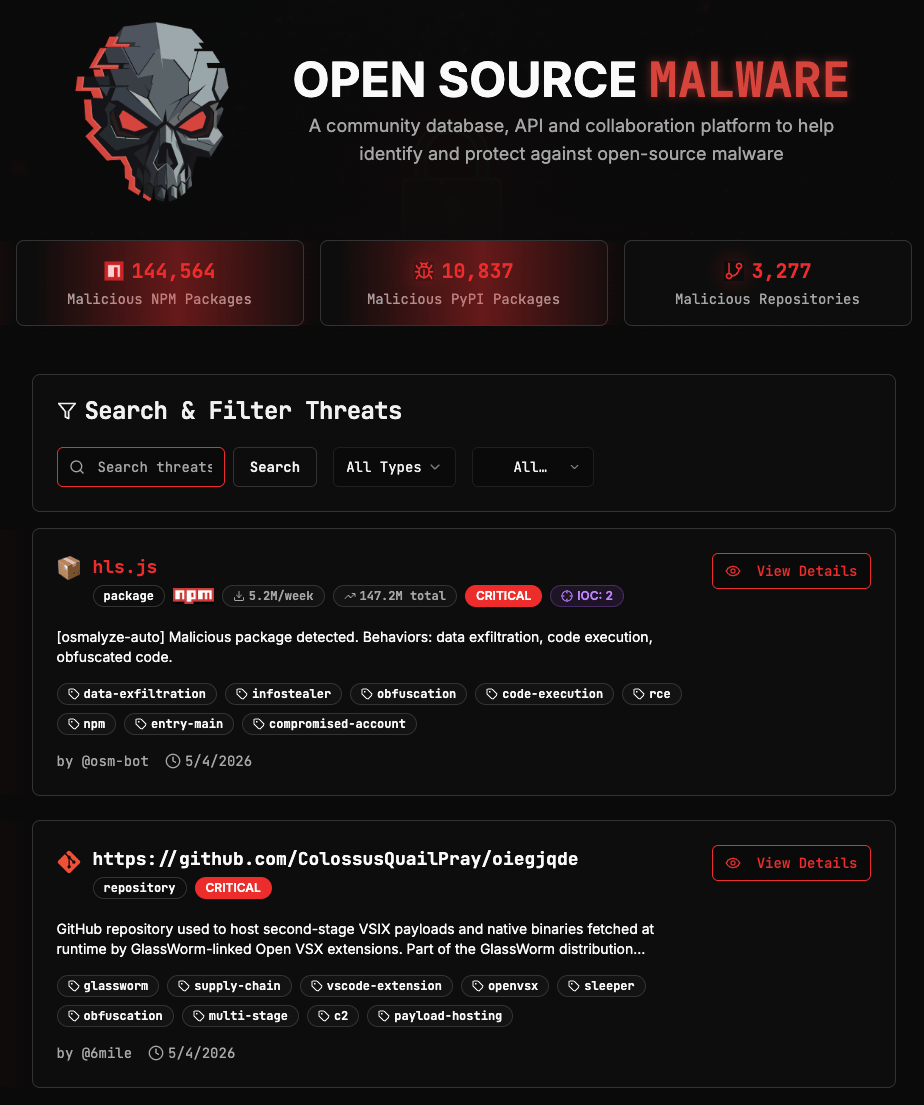
Filters
Four filters are available, and they can be combined. Type narrows results to a specific asset category. Options are: Packages, Repositories, URLs, Domains, IP Addresses, Crypto Wallets, and Container Images. Ecosystem appears when Packages is selected as the type. Options are: npm, PyPI, Maven, NuGet, RubyGems, Packagist, Crates.io, Go Modules, Open VSX, VS Code Marketplace, and AI Skills. Status filters by verification state. Options are: Verified, Pending, False Positive, and Resolved. Sort controls the order of results. Options are: Newest, Oldest, Most Downloaded, and Most IOCs. Most Downloaded is a useful signal for assessing the potential blast radius of a threat as higher download counts indicate a more widely-used asset.Search
The search field accepts an asset name or a tag.- Name search: The name must be exact to return results. If you are unsure of the full name, use
*as a wildcard. For example,eslint*will match any asset name beginning with “eslint”. - Tag search: Prefix your search term with
#to search by tag. For example,#contagious-interviewreturns all threats tagged with that campaign.
Threat Records
Each threat has its own webpage that can be accessed by clicking View Details from the search results on the homepage, or by navigating directly to its URL (for example, https://opensourcemalware.com/pypi/lightning). The record’s UUID appears at the top and can be used to query the threat directly via the API. Also included at the top of the record are the asset name, type, weekly and total download counts (for packages), stars/forks (for repos), severity, and verification status. It also tells you who reported it and when it was added to the database.
Threat description
A plain-language summary of what the threat does and why it was flagged.
Payload details
A technical breakdown of the malicious behavior from the reporter. May include file names, execution chains, capabilities, and IOCs. You must be signed in to view payload details.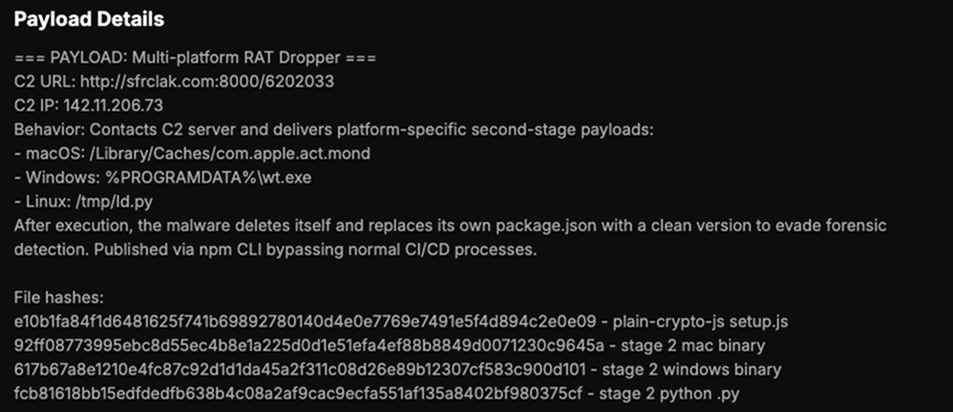
Package details and timeline
The affected version or version range, the date the threat was reported, and the date it was verified.
Threat actor information
Subscription Required: This feature available to Researcher Pro and Enterprise users.

Evidence and references
Link to external resources about the malware, and tags related to the type of attack, threat actor, ecosystem, and/or campaign.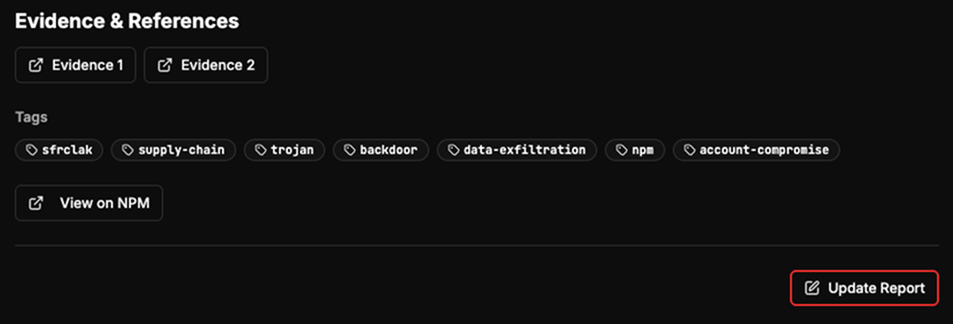
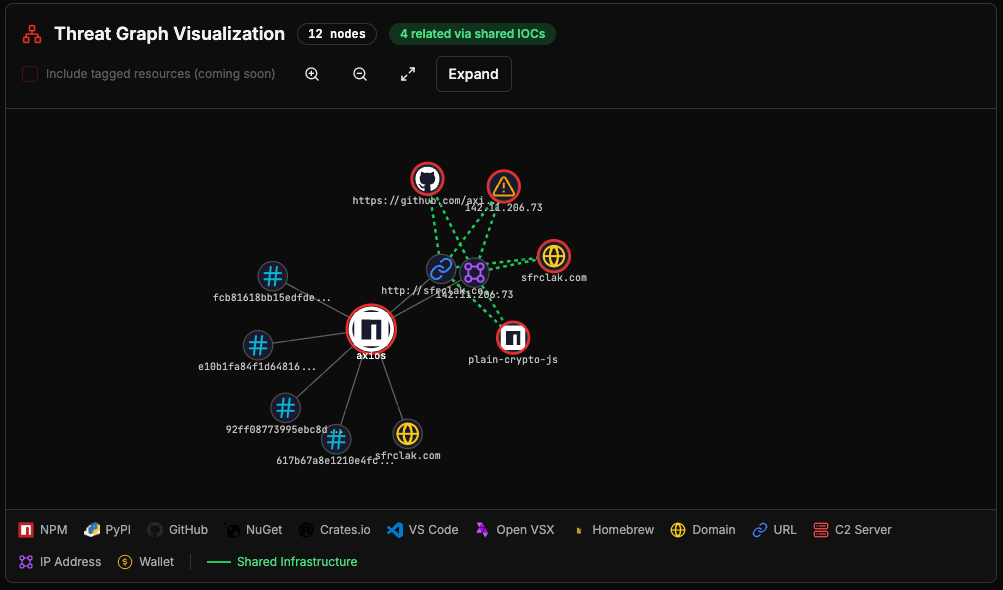
Threat graph visualization
Subscription Required: This feature is available to Researcher Pro and Enterprise users.
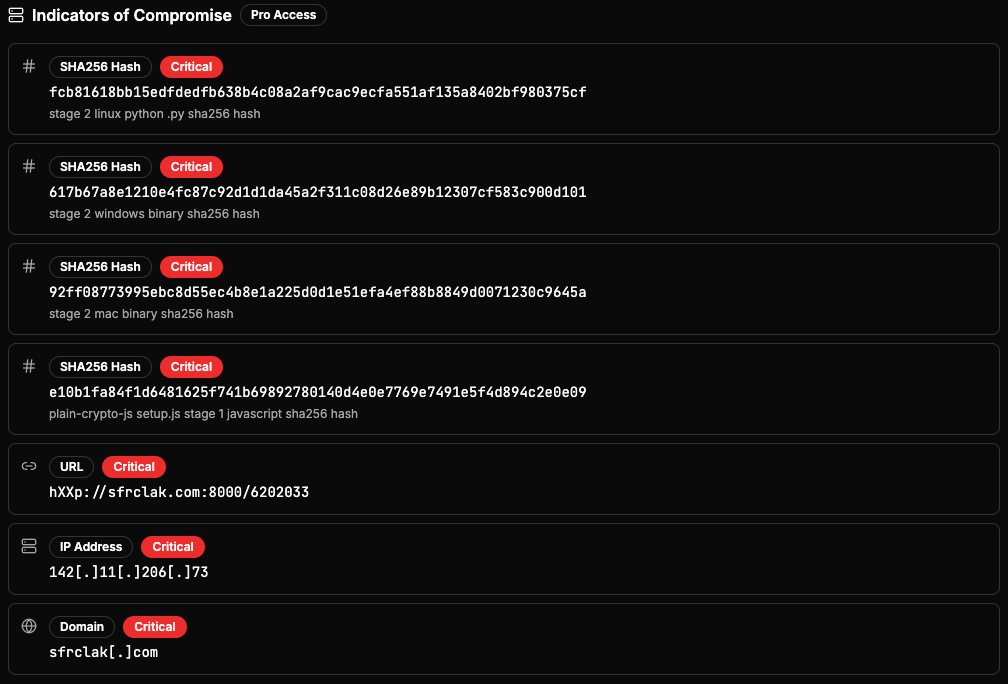
Indicators of Compromise
Subscription Required: This feature is available to Researcher Pro and Enterprise users.