Create an alert
1
Open the Threat Alerts dashboard
Click your profile avatar in the top right and select Threat Alerts from the menu. This is where you create and manage all of your alerts.
2
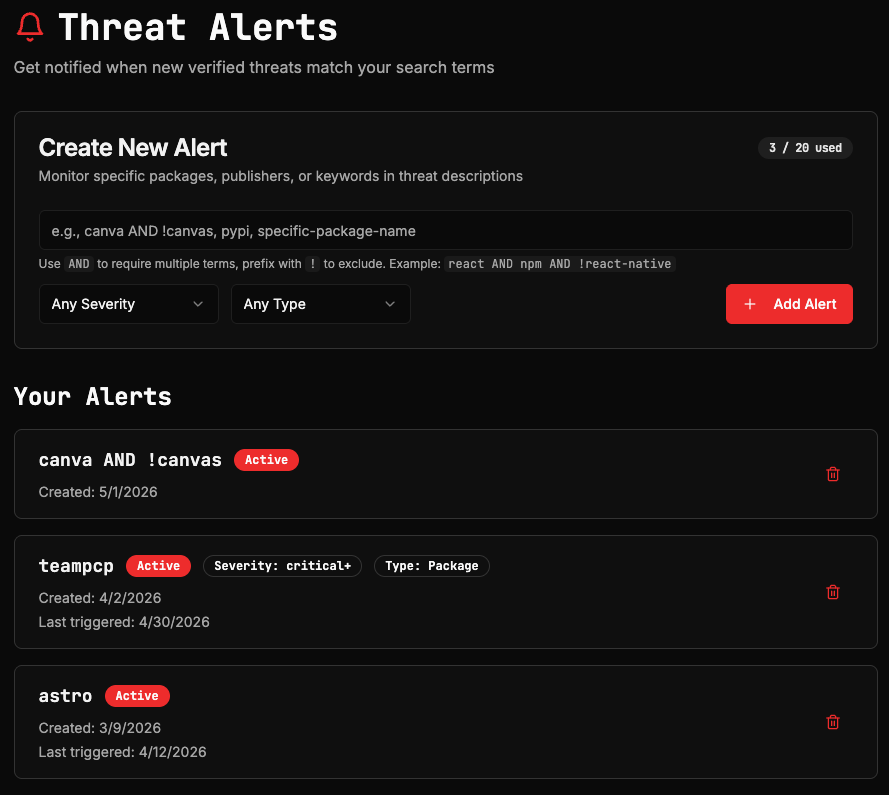
Create an alert
Enter a keyword or search term in the alert field. This can be a package name, publisher, registry, or any term that appears in threat descriptions.Use
AND to require multiple terms and ! to exclude terms. For example: react AND npm AND !react-native.Optional: Restrict alerts by Severity (Critical, High, Medium, or Low) or Type (Package, Repository, URL, or Domain). If you leave these unset, the alert will match threats of any severity and type.Click Add Alert to save. The alert is active immediately.Free users get two alerts, and can get up to two notifications per day. Enterprise accounts can configure higher volumes. Contact us to discuss your needs.
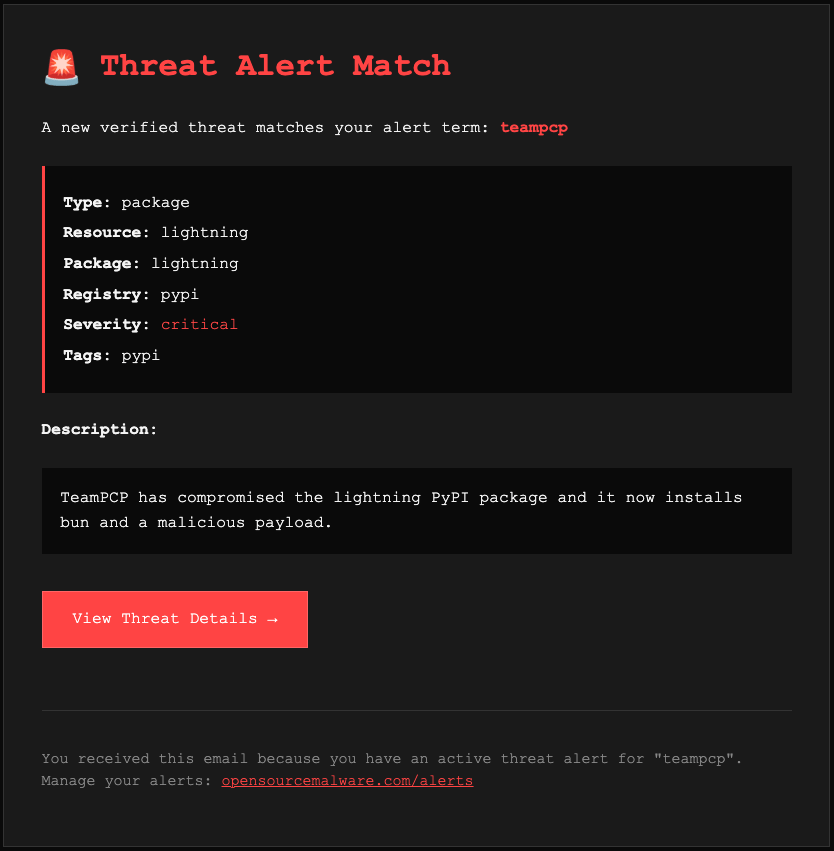
Email notifications
When a new verified threat matches one of your active alerts, we send an email notification to the address on your account. Make sure you’re actively monitoring the email address you registered with. The notification includes the alert term that matched, the asset type, resource name, registry, and severity level, a brief description of the threat, and a direct link to the full threat record.